A passport for DC's coffee shops.
Check in at local shops, collect a stamp for every one, rate what you drank, and find your next favorite cup through the people you follow.
Free beta. How installing works
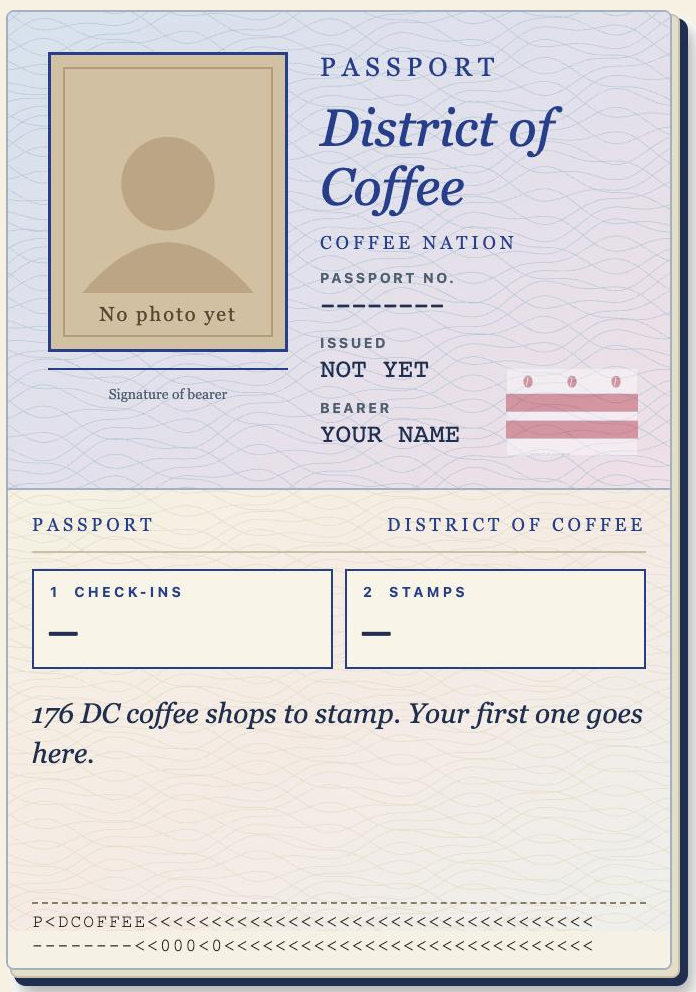
Collect the city
A stamp for every shop you check in at, and a postcard each month.
Know what to order
Rate the drink, not just the shop, and see what people would order again.
Follow your people
See where friends are drinking, cheer their check-ins, trade favorites.
Independent shops
Corner cafés to local chains. No big national chains.
Find your spot
Quiet study spots, open now, accessibility, and Black-, women- and LGBTQ+-owned shops.
Beans and notes
What each shop is brewing now, and how every drink rates with each bean.
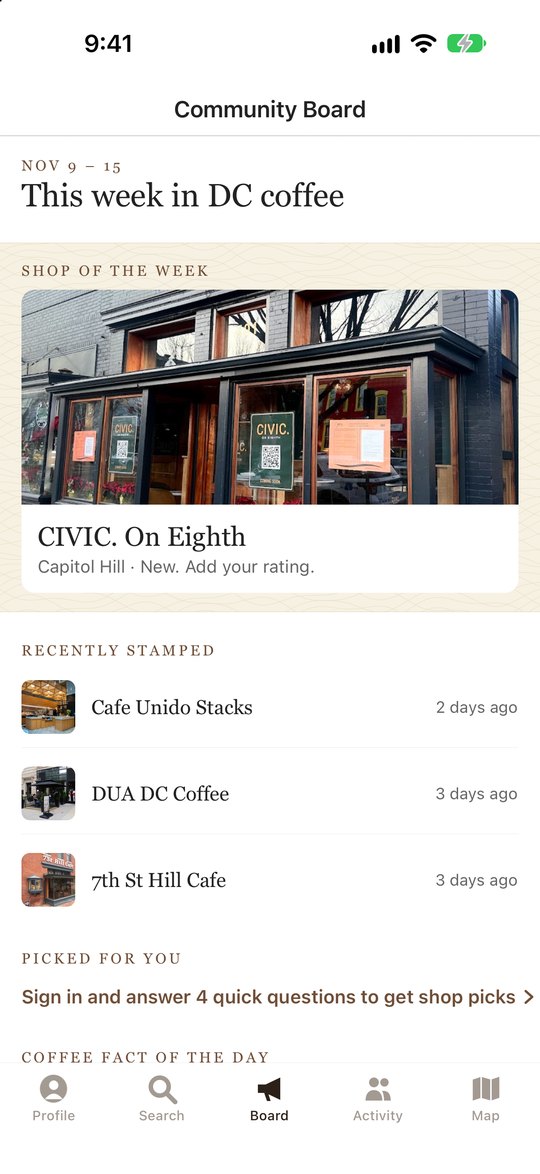
This week in DC
Cuppings, throwdowns, seasonal drinks and new shops, posted by the shops.
Badges and crews
Earn badges, keep a weekly streak, team up in a crew, get a monthly recap.
Every block is up for grabs.
Coffee in DC is a friendly competition. Check in more than anyone else and the titles are yours, until someone takes them back.
CHAMP
Area Champ
Stamp more shops in a neighborhood than anyone else and you hold it, from Shaw to Southwest. Your name goes on the neighborhood.
LEGEND
Local Legend
Be a shop's most loyal regular over the last 90 days and your name shows on its page for everyone to see.
DC
Finish the map
Complete a neighborhood, then another. Every month brings a postcard of where you've been, and the leaderboard shows who's covering the most ground.
Titles move. If someone out-visits you, you'll get a heads-up, and a reason to go get it back.
Take a look.
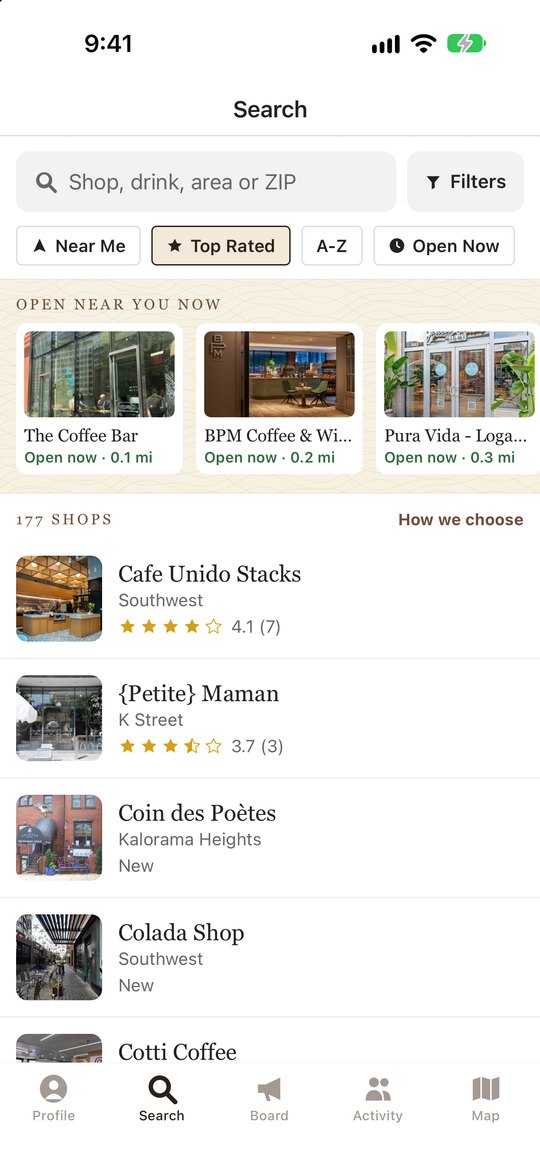
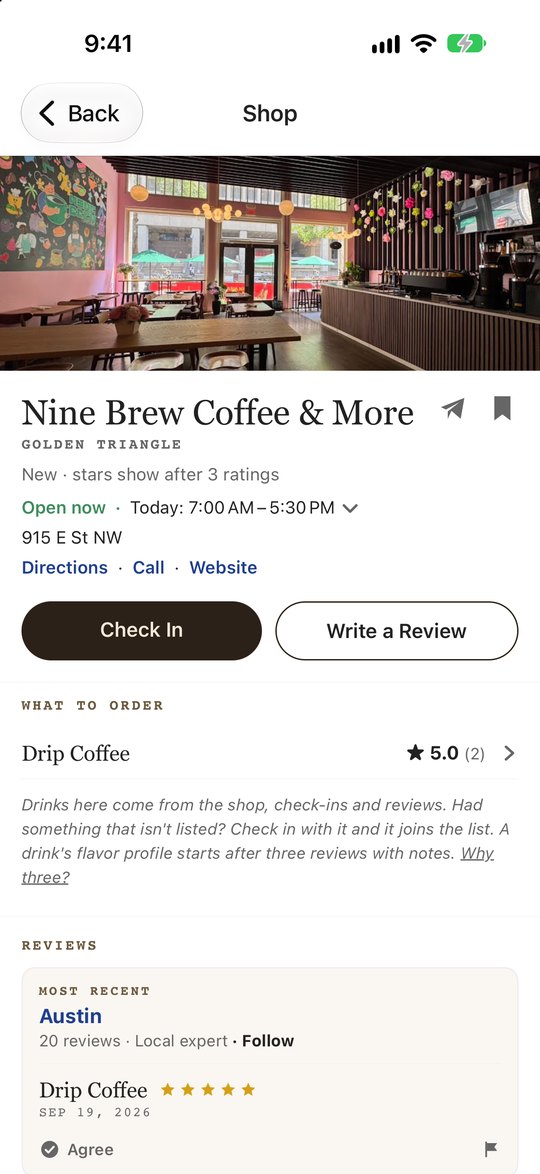
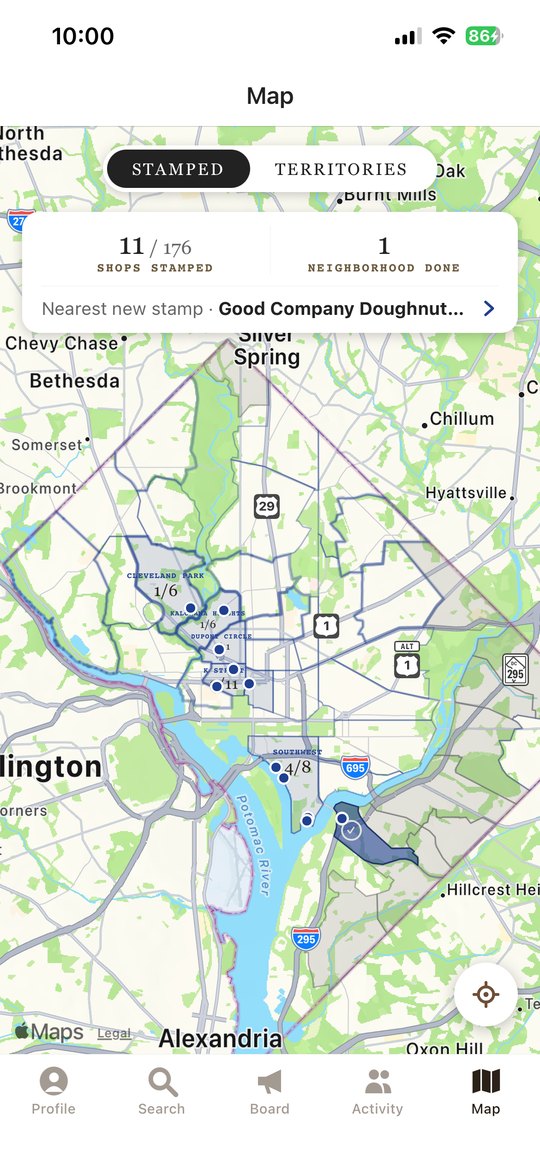
Your shop, your page.
- Claim your shop and keep your hours, details and photos current.
- Post events, seasonal drinks and specials that show on your page and the Board.
- Import your menu from a photo, a PDF, a link or plain text, and check it before it goes live.
- List your beans so ratings name the right one, and see which your regulars love.
- See how your drinks rate, what people would order again, and how you compare across DC.
Email [email protected] to get started.
Good to know
How do I install it on iPhone or Android?
iPhone: tap Join on iPhone. It opens Apple's free TestFlight app (install it if it asks), then tap Install on District of Coffee.
Android: tap Get it on Android and open the file when it's downloaded. Your phone will ask you to allow installs from your browser; say yes. If Google Play Protect warns that it doesn't know the app, tap Install anyway. That's normal for a beta that isn't on the Play Store yet.
Is it free?
Yes. No ads, and we don't sell your information.
Where does it work?
Washington, DC, for now: about 175 independent and local coffee shops, chosen by hand. Big national chains aren't included.
Can I keep my profile private?
Yes. Make it private and only people you approve can see your activity. You can block anyone, and delete your account any time.
My shop isn't listed, or something's wrong.
Tell us at [email protected], or use "Something wrong here?" on any shop page in the app.